


Let me ask you a quick question: How do search engines like Google know what content is on your website? If you said “through links,” you’re partly right. But one of the most powerful tools helping search engines crawl and index your site efficiently is something called a sitemap.
Now, when it comes to sitemaps, you’ve probably heard of two main types: HTML and XML. But what’s the real difference between them? Do you need both? In this post, we’ll break it all down in plain, everyday language so you can boost your site’s visibility without needing a tech degree.
What is a Sitemap, Anyway?
Think of a sitemap like a map of your website—it shows all the important pages and how they connect. Just like a roadmap helps travelers get around, a sitemap helps both users and search engines navigate and understand your site.
There are two main types of sitemaps you need to know about:
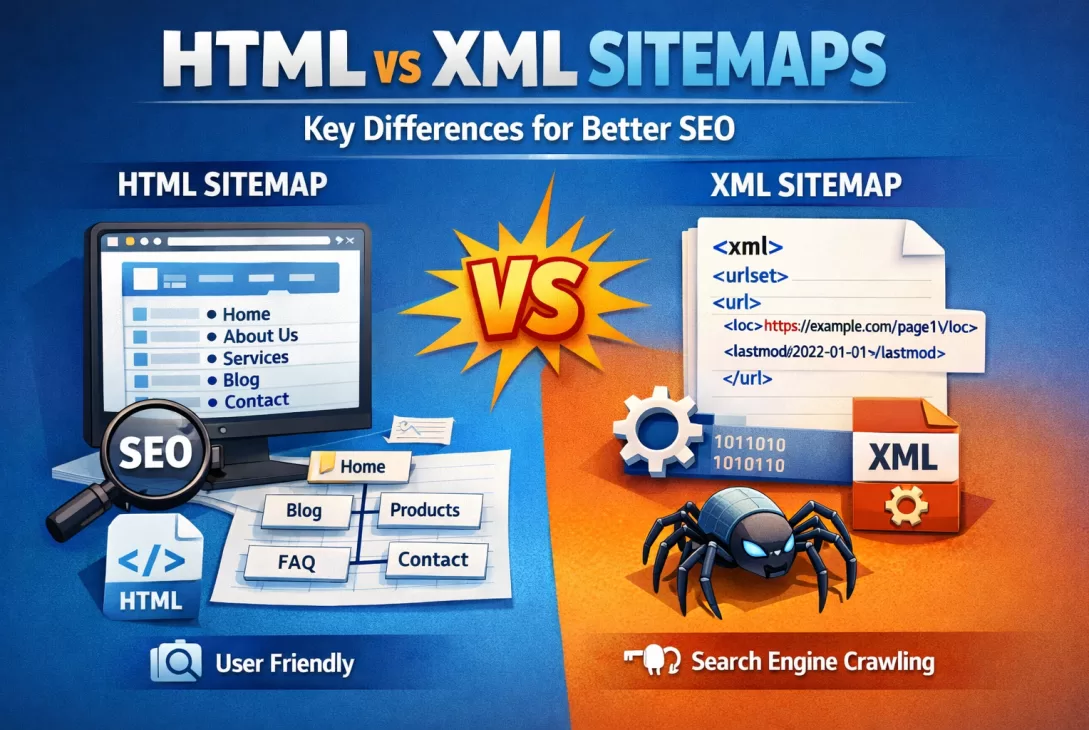
- HTML Sitemaps: Created mostly for people (your visitors).
- XML Sitemaps: Designed primarily for search engines like Google or Bing.
What is an HTML Sitemap?
An HTML sitemap is a simple web page on your site that lists all (or most) of your internal links. It’s readable and clickable, just like any regular webpage.
Let me give you an example. Imagine you run an online bookstore. An HTML sitemap might list pages like:
- Home
- Fiction
- Non-fiction
- Children’s Books
- About Us
- Contact
Visitors—especially those who may be struggling to find what they’re looking for—can go to this sitemap and quickly find the section they want.
Key Benefits of HTML Sitemaps
- User-friendly: Helps real people navigate your site easily.
- Improved UX (User Experience): Reduces frustration and bounce rates.
- Boosts discoverability of hidden pages (especially on large websites).
What is an XML Sitemap?
On the flip side, an XML sitemap is designed to talk directly to search engines. You won’t typically see it unless you’re looking under the hood of your website.
Have you ever looked at a page filled with code and links ending in .xml? That’s what it looks like—lots of structured data that search engines love.
It tells Google things like:
- Which pages exist on your site
- When each page was last updated
- How often the content changes
- The priority of each page in relation to others
Key Benefits of XML Sitemaps
- Improves indexing: Makes sure your pages show up in search results.
- Helps with SEO: Especially useful for newer or large websites.
- Saves time: Lets search bots crawl smarter, not harder.
HTML vs XML Sitemaps: What’s the Real Difference?
Here’s a simple way to think about it:
HTML Sitemaps = For People
XML Sitemaps = For Search Engines
Although both help with navigation and visibility, they serve different audiences and purposes. So if you’re aiming to win at SEO, it’s worth understanding how they complement each other.
Side-by-Side Comparison
| Feature | HTML Sitemap | XML Sitemap |
|---|---|---|
| Target Audience | Human Visitors | Search Engines (bots) |
| Helps with SEO | Indirectly | Directly |
| Indexed by Google | Yes (if linked) | Yes |
| Readability | Easy for humans | Structured for machines |
| Visual Format | Looks like a webpage | Looks like code |
Do You Really Need Both?
In most cases, yes—you’ll want both HTML and XML sitemaps.
Why? Well, they serve different yet complementary purposes:
- XML sitemaps give search engines full visibility into your site’s structure, which is key for SEO.
- HTML sitemaps make your site more user-friendly, especially for visitors who might get lost.
It’s like having GPS and a tourist map. One helps the machine (sat-nav system) guide you, the other helps you find fun things to do.
How to Create a Sitemap for Your Site
Now you’re probably wondering, “Okay, this sounds good, but how do I actually make one?”
Good news—you don’t need to be a coder! Here are some quick tips:
Creating an XML Sitemap
- Use tools like Yoast SEO (for WordPress users) or Google XML Sitemap plugin.
- Google Search Console lets you submit it easily.
Creating an HTML Sitemap
- Manually build a webpage that links to all major pages—simple but time-consuming.
- Or use plugins like Simple Sitemap on WordPress.
Bonus tip: Make sure your HTML sitemap is linked from the footer or main menu so visitors can find it easily!
Final Thoughts
If SEO is important to you (and let’s be honest, it should be), then don’t overlook sitemaps. They may not seem exciting, but they do a lot of heavy lifting behind the scenes.
To recap:
- Use an XML sitemap to make sure bots like Googlebot crawl your content efficiently.
- Use an HTML sitemap to help your visitors, improve their experience, and guide them to what they’re looking for.
Need both? Absolutely. It’s like having both lights and a map while hiking at night—they guide different senses but help you reach the same destination.
If you’re not using both types of sitemaps yet, don’t stress—it’s never too late to start. The easier you make your site to understand, the more love it’ll get from users and search engines alike.
Have questions about sitemaps or want help setting them up? Drop a comment below—I’d love to help!